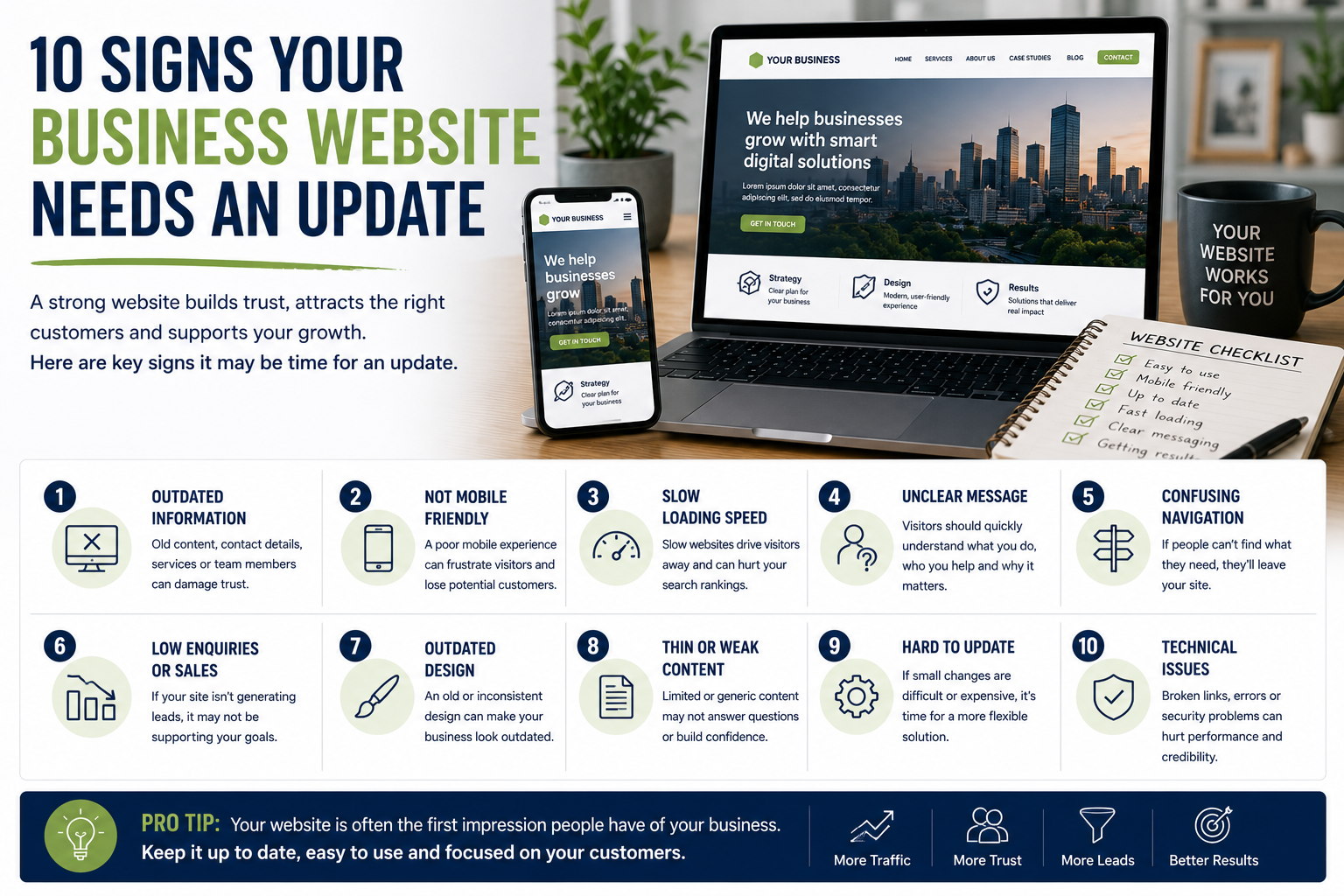
10 Signs a Business Website Needs an Update
A business website does not need to be redesigned every year.
However, websites can gradually become outdated as services change, staff leave, technology develops and customer expectations evolve. A site that once represented the business well may eventually become difficult to use, inaccurate or less effective at generating enquiries.
Some problems can be corrected through small improvements. Others may indicate that a broader redesign or rebuild is needed.
Here are ten signs that a business website may need attention.
1. The Website No Longer Reflects the Business
A website should accurately represent what the business currently offers.
Over time, companies may:
- Introduce new services
- Stop offering older services
- Change their target market
- Expand into new locations
- Reposition the brand
- Add new team members
- Change pricing
- Develop new processes
If the website still describes an earlier version of the business, potential customers may receive the wrong impression.
Review whether the site clearly explains:
- What the business does now
- Who it helps
- Where it operates
- Which services are available
- How customers can make contact
Outdated positioning can attract unsuitable enquiries while discouraging the people the business most wants to reach.
2. Important Information Is Out of Date
Incorrect information can reduce trust quickly.
Common examples include:
- Old telephone numbers
- Outdated opening hours
- Former team members
- Closed locations
- Expired offers
- Incorrect prices
- Broken social links
- Outdated policies
- Services that are no longer available
A visitor may assume that if basic details are incorrect, other information on the website may also be unreliable.
Businesses should review key pages regularly, particularly:
- Homepage
- Contact page
- Service pages
- Team page
- Pricing
- Frequently asked questions
- Policies
Updates should also be made promptly when the business changes.
3. The Website Is Difficult to Use on Mobile Devices
Many visitors will access the website from a phone.
Common mobile problems include:
- Text that is too small
- Buttons that are difficult to tap
- Menus that do not open properly
- Images extending beyond the screen
- Forms that are difficult to complete
- Pop-ups covering the page
- Slow loading
- Important information hidden below oversized sections
The website should be tested on several real devices and screen sizes.
A design may appear acceptable in a desktop editor while still performing poorly on an actual phone.
Contact details, booking buttons and forms should be particularly easy to use.
4. Pages Load Too Slowly
Slow websites can frustrate visitors and reduce the likelihood that they continue browsing.
Possible causes include:
- Oversized images
- Unnecessary video backgrounds
- Poor-quality hosting
- Too many plugins
- Outdated software
- Complex animations
- Excessive tracking scripts
- Poor caching
- Inefficient page construction
Businesses should pay attention to the experience of real visitors rather than relying only on how the site performs on the owner’s computer.
A website may load quickly for someone using fast broadband and a cached browser while performing poorly for a first-time mobile visitor.
Improvements may include:
- Compressing images
- Removing unused features
- Updating software
- Improving hosting
- Simplifying layouts
- Reviewing third-party scripts
5. Visitors Cannot Quickly Understand What the Business Does
A visitor should be able to understand the main offer within a few seconds.
The homepage should clearly communicate:
- The main service
- The intended customer
- The location or service area
- The main benefit
- The next step
Vague headlines such as:
- Solutions for your future
- Helping you achieve more
- Excellence through innovation
- Your trusted partner
may sound professional but provide little useful information.
A clearer message would be:
Commercial cleaning services for offices and retail premises across Hertfordshire.
Specific language helps visitors decide whether the business is relevant.
6. The Navigation Is Confusing
Website navigation should help people find information with minimal effort.
Problems may include:
- Too many menu items
- Unclear page names
- Important services hidden in dropdowns
- Duplicate pages
- Broken links
- No clear route back to the homepage
- Different navigation on different pages
A business website usually needs clear access to:
- Services
- About
- Locations
- Case studies or portfolio
- Articles or resources
- Contact
The exact structure depends on the business, but it should reflect what visitors are most likely to need.
Internal organisation should not determine the menu if customers think about the services differently.
7. The Website Generates Few Relevant Enquiries
Low enquiry volume does not always mean that the design is the problem.
Traffic quality, market demand, pricing and reputation may also affect results.
However, the website should be reviewed if visitors arrive but rarely make contact.
Possible issues include:
- Weak calls to action
- Unclear services
- No evidence of credibility
- Complicated forms
- Hidden contact details
- Poor mobile usability
- No pricing guidance
- No explanation of the next step
- Slow pages
- Content aimed at the wrong audience
Businesses should track:
- Contact-form submissions
- Telephone clicks
- Bookings
- Quote requests
- Popular landing pages
- Conversion rates
This can help identify where visitors lose interest.
8. The Design Feels Inconsistent or Unprofessional
A business website does not need elaborate visual effects.
However, inconsistent design can make the site feel neglected.
Common issues include:
- Several unrelated fonts
- Inconsistent colours
- Different button styles
- Uneven spacing
- Low-quality images
- Stretched logos
- Misaligned sections
- Outdated stock photography
- Cluttered layouts
Consistency helps a website feel intentional.
A simple design with clear typography, sensible spacing and good-quality images often appears more professional than a visually complicated site.
9. The Content Is Thin, Generic or Repetitive
A website should help customers understand the service and make a decision.
Thin content may provide only:
- A service title
- A short generic paragraph
- A contact button
This may not answer common questions about:
- What is included
- Who the service is for
- How the process works
- Expected timescales
- Pricing
- Qualifications
- Service areas
- Common concerns
Another problem is repetitive location content where only the town name changes.
Each page should provide a genuine reason to exist.
Useful additions may include:
- Detailed service explanations
- Case studies
- Frequently asked questions
- Process sections
- Local information
- Team expertise
- Practical guidance
10. The Website Is Difficult to Update
A business should be able to make routine changes without unnecessary difficulty.
Problems may include:
- Dependence on one developer
- No access to the website
- Unclear login details
- Outdated software
- Broken visual editors
- Custom code that no one understands
- No staging environment
- No reliable backup
- Expensive charges for small edits
The business should retain appropriate control over:
- Domain
- Hosting
- Content-management system
- Analytics
- Forms
- Business email
- Search tools
- Backups
A redesign can be an opportunity to improve not only appearance, but also ownership and maintainability.
Additional Signs Worth Reviewing
Several other issues may indicate that updates are needed.
Broken Links
Broken links can frustrate visitors and make the website appear neglected.
They may lead to:
- Deleted pages
- Old external sources
- Missing documents
- Incorrect URLs
- Removed team profiles
Links should be checked periodically.
Forms Do Not Work Reliably
A website may appear functional while enquiries are not being delivered.
Forms should be tested regularly.
Check:
- Submission confirmation
- Email delivery
- Spam filtering
- Mobile usability
- Required fields
- Data storage
- Privacy wording
It is also useful to have a backup method of contact.
The Website Is Not Secure
Security problems may include:
- Missing SSL certificate
- Outdated plugins
- Unsupported software
- Weak passwords
- No backups
- Unused administrator accounts
- No multi-factor authentication
Security should be treated as ongoing maintenance rather than a one-time setup task.
The Site Does Not Meet Current Accessibility Expectations
Accessibility affects whether people can use the website successfully.
Potential problems include:
- Poor colour contrast
- Missing image descriptions
- Unlabelled forms
- Unclear link text
- Keyboard navigation problems
- Videos without captions
- Incorrect heading structure
Improving accessibility can make the website easier to use for everyone.
Search Visibility Has Declined
A decline in search performance can have several causes.
Possible website-related issues include:
- Outdated content
- Technical errors
- Broken pages
- Poor mobile performance
- Duplicate content
- Missing redirects
- Weak internal linking
- Search engines blocked accidentally
A redesign should not begin without reviewing existing search performance.
Removing or changing valuable pages carelessly can make visibility worse.
When Small Updates May Be Enough
A full redesign may not be necessary when the main issues involve:
- Outdated text
- Old images
- Minor mobile problems
- Missing calls to action
- Broken links
- Service-page gaps
- Simple performance improvements
Targeted improvements can sometimes extend the useful life of the existing site.
The decision should be based on the scale of the problems rather than a desire for a different visual style.
When a Full Redesign May Be Appropriate
A broader redesign may be worth considering when:
- The structure no longer supports the business
- The platform is outdated
- Mobile usability is poor throughout
- The website is difficult to maintain
- Branding has changed substantially
- Important functionality cannot be added
- Performance problems affect many pages
- Several systems need to be replaced
A redesign should solve practical problems.
Changing colours and layouts without improving usability, content or conversion is unlikely to deliver meaningful value.
Protect Existing Search Performance
Before changing URLs or removing pages, review:
- Search traffic
- Rankings
- Backlinks
- Popular landing pages
- Conversions
- Indexed pages
Where URLs need to change, appropriate redirects should be created.
Existing content should not be deleted simply because it looks old.
A page may still attract visitors or hold valuable external links.
Questions to Ask Before Redesigning
Useful questions include:
- What is currently working?
- Which pages generate enquiries?
- What do customers struggle to find?
- Which services need greater visibility?
- Who will update the website?
- Which integrations are required?
- What should happen to existing URLs?
- Who owns the domain and hosting?
- What is the realistic budget?
- How will success be measured?
Clear answers can prevent the project from becoming purely visual.
Final Thoughts
A business website needs attention when it becomes inaccurate, difficult to use or unable to support the company’s current goals.
Outdated information, poor mobile performance, slow loading, confusing navigation and weak service content are all signs that improvements may be necessary.
Not every problem requires a complete rebuild.
The best approach is to identify what is preventing customers from understanding the business or taking the next step, then choose the smallest effective solution.
A successful website update should make the business easier to find, easier to understand and easier to contact.