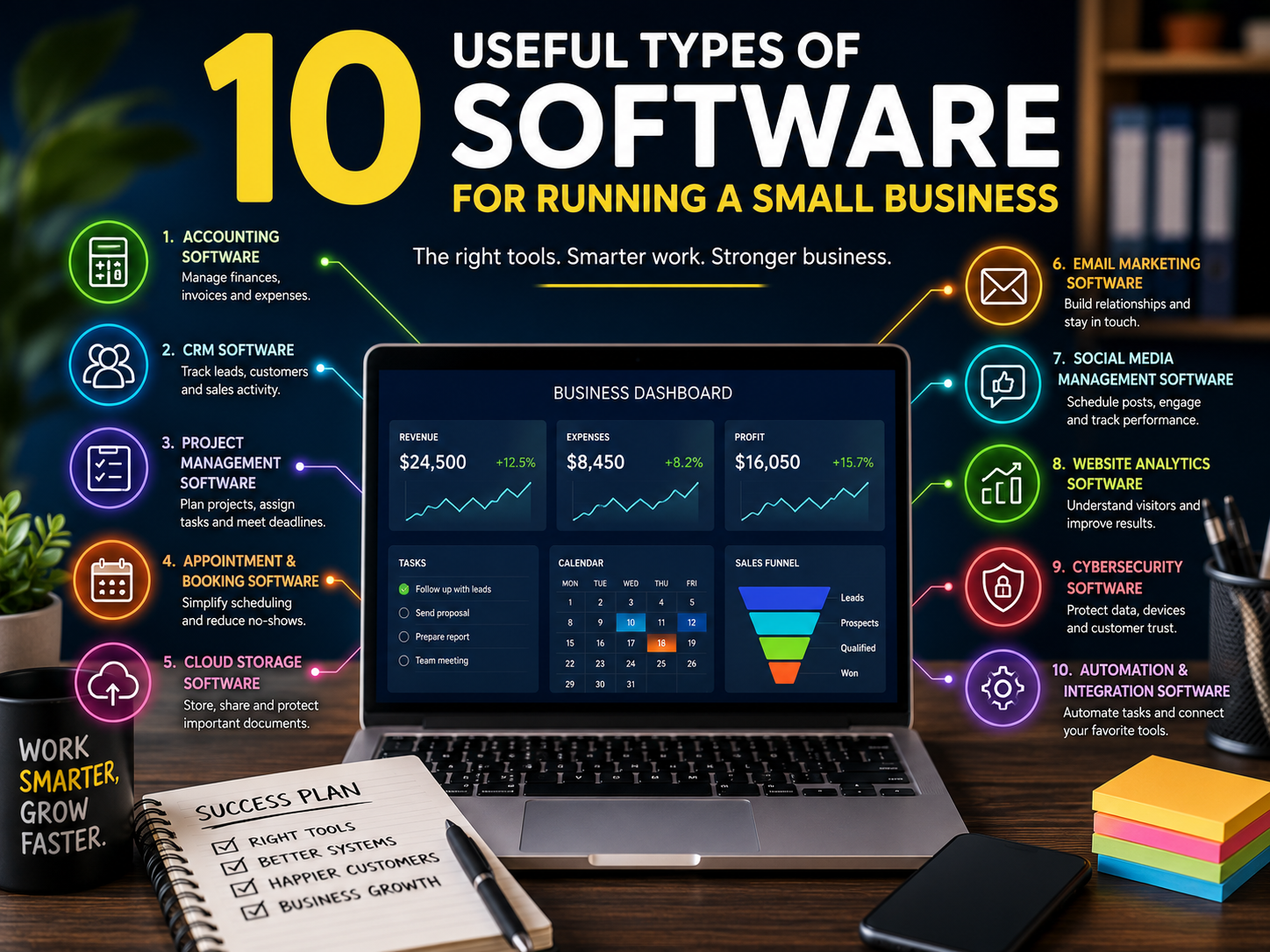
10 Useful Types of Software for Running a Small Business
Running a small business often involves managing several responsibilities at once. Customer enquiries, finances, projects, appointments, marketing, documents and day-to-day administration can quickly become difficult to organise without the right systems.
Business software can reduce repetitive work, improve communication and make important information easier to access. However, small businesses do not necessarily need a large collection of expensive tools.
The most useful software is usually the software that solves a clear problem, fits the existing workflow and is simple enough for the team to use consistently.
Here are ten types of software that can help small businesses operate more efficiently.
1. Accounting Software
Accounting software helps businesses record income, track expenses and maintain clearer financial records.
Depending on the platform, it may support:
- Invoicing
- Expense tracking
- Bank reconciliation
- Cash-flow monitoring
- Financial reports
- Tax calculations
- Receipt storage
- Accountant access
- Payment reminders
- Payroll integrations
For a small business, one of the main benefits is having financial information organised in one place.
It can also reduce the amount of manual data entry required when preparing accounts or reviewing the financial position of the business.
Before choosing accounting software, consider:
- Whether it supports local tax requirements
- Whether it integrates with the business bank account
- Whether an accountant can access it
- How easy it is to export records
- Whether support is available
- Whether pricing increases with additional users or features
Accounting software can support financial administration, but businesses should still seek professional advice where necessary.
2. Customer Relationship Management Software
Customer relationship management software, commonly known as CRM software, helps businesses organise leads, customers and sales activity.
A CRM system may store:
- Contact details
- Enquiry history
- Telephone notes
- Email conversations
- Quotes
- Sales opportunities
- Follow-up dates
- Customer preferences
- Contract information
- Previous purchases
Without a central system, important customer information may become scattered across inboxes, notebooks and spreadsheets.
A CRM can make it easier to see:
- Which enquiries require a response
- Where each potential customer is in the sales process
- Which clients have not been contacted recently
- Which services generate the most interest
- Which leads are most likely to convert
Small businesses should avoid choosing a system that is more complicated than they need.
A simple CRM that is used consistently is often more valuable than an advanced platform that the team finds difficult to maintain.
3. Project Management Software
Project management software helps businesses plan work, assign responsibilities and monitor progress.
It can be useful for:
- Marketing agencies
- Contractors
- Consultants
- Designers
- Professional services
- Events businesses
- Software teams
- Content producers
Common features include:
- Task lists
- Deadlines
- Project boards
- File attachments
- Comments
- Status labels
- Time tracking
- Recurring tasks
- Calendar views
- Notifications
A project management platform can reduce the need to manage work through long email chains.
It also gives team members a clearer view of what is being worked on, what is delayed and what needs attention next.
When comparing platforms, consider whether the business prefers:
- Simple checklists
- Visual boards
- Detailed timelines
- Client-facing workspaces
- Automated workflows
- Time-based reporting
The system should reflect how the business actually works rather than forcing every project into an unsuitable structure.
4. Appointment and Booking Software
Appointment software allows customers to choose an available time without contacting the business directly.
It can be especially useful for:
- Clinics
- Consultants
- Salons
- Tutors
- Fitness professionals
- Repair services
- Photographers
- Coaches
- Service-based businesses
Useful features may include:
- Online booking
- Automated confirmations
- Appointment reminders
- Calendar synchronisation
- Deposits
- Cancellation rules
- Rescheduling
- Staff availability
- Service selection
- Waiting lists
Booking software can reduce administrative work and help prevent missed appointments.
However, the booking process should remain simple.
Customers should be able to understand:
- Which service to choose
- How long the appointment will take
- What it costs
- Whether payment is required
- How cancellations are handled
- What happens after booking
Businesses should also consider how customer data is stored and protected.
5. Cloud Storage and Document Management Software
Cloud storage allows files to be accessed from different devices and shared with authorised users.
Businesses may use it for:
- Contracts
- Proposals
- Images
- Financial records
- Project documents
- Policies
- Client files
- Marketing materials
- Templates
- Internal guidance
A structured cloud-storage system can reduce dependence on individual computers and email attachments.
Useful features may include:
- Permission controls
- Version history
- File recovery
- Shared folders
- Search
- Mobile access
- External sharing
- Collaboration
- Automatic backups
- Security controls
The folder structure should be kept consistent.
For example:
- Clients
- Finance
- Marketing
- Operations
- Templates
- Policies
- Projects
Sensitive information should only be accessible to people who genuinely need it.
Businesses should also understand whether the service provides backup, recovery and data-location options suitable for their needs.
6. Email Marketing Software
Email marketing software helps businesses communicate with subscribers, customers and prospects.
It may be used for:
- Newsletters
- Product announcements
- Event invitations
- Appointment reminders
- Educational content
- Follow-up sequences
- Customer retention
- Special offers
- Service updates
- Abandoned-cart emails
Email remains valuable because the business can communicate directly with people who have chosen to hear from it.
Useful email marketing features include:
- Templates
- Subscriber groups
- Automated sequences
- Personalisation
- Sign-up forms
- Performance reporting
- A/B testing
- Unsubscribe management
- Consent records
- Ecommerce integrations
Businesses should avoid purchasing email lists or sending messages without an appropriate legal basis.
A smaller list of genuinely interested subscribers is usually more useful than a large list of disengaged contacts.
7. Social Media Management Software
Social media management software helps businesses plan, schedule and review content across one or more platforms.
It may support:
- Post scheduling
- Content calendars
- Draft approvals
- Image libraries
- Comment monitoring
- Team collaboration
- Performance reporting
- Reusable content
- Multiple accounts
- Campaign organisation
This type of software can be helpful when social media activity is inconsistent or spread across several people.
A scheduling tool does not replace thoughtful content, but it can make publishing more organised.
Businesses should decide which platforms genuinely matter before paying for a system that supports many channels they do not use.
Useful questions include:
- Where is the target audience active?
- Which content formats can the business produce consistently?
- Who will approve posts?
- How quickly should comments be answered?
- Which results will be measured?
The platform should simplify the process rather than encourage unnecessary posting.
8. Website Management and Analytics Software
A business website requires ongoing monitoring and maintenance.
Website management tools may help with:
- Software updates
- Security monitoring
- Backups
- Performance checks
- Broken links
- Form testing
- Uptime monitoring
- Search visibility
- Visitor analytics
- Conversion tracking
Analytics software can show how people find and use the website.
Useful information may include:
- Popular pages
- Traffic sources
- Search queries
- Contact-form submissions
- Device types
- Conversion rates
- User journeys
- Returning visitors
The purpose of analytics is not to collect as much data as possible.
It is to answer practical questions, such as:
- Which pages generate enquiries?
- Which marketing channels attract suitable visitors?
- Where do people leave the website?
- Which services receive the most interest?
- Are mobile visitors able to complete forms?
Businesses should also use analytics tools in a way that respects privacy and consent requirements.
9. Cybersecurity and Password Management Software
Small businesses can be affected by phishing, password theft, malware and unauthorised account access.
Cybersecurity tools may include:
- Password managers
- Antivirus software
- Multi-factor authentication
- Email filtering
- Device management
- Data encryption
- Backup tools
- Access monitoring
- Security alerts
- Virtual private networks
A password manager can help users create and store stronger, unique passwords.
This is safer than reusing the same password across several services or saving login details in unprotected documents.
Businesses should also consider:
- Who has access to each account
- How access is removed when someone leaves
- Whether multi-factor authentication is enabled
- How devices are protected
- Where backups are stored
- How suspicious emails are reported
- What happens after a security incident
Software is only one part of cybersecurity. Staff awareness and clear procedures are equally important.
10. Automation and Integration Software
Automation software connects different tools and performs routine actions automatically.
For example, an automation may:
- Add a website enquiry to a CRM
- Send a confirmation email
- Create a project task
- Notify a team member
- Save an attachment
- Update a spreadsheet
- Generate a reminder
- Move customer information between systems
Automation can reduce repetitive administration and prevent tasks from being forgotten.
However, poorly planned automation may create duplicate records, send incorrect messages or move sensitive information inappropriately.
Start with simple, low-risk processes.
A useful first automation might involve transferring contact-form enquiries into a customer-management system and notifying the responsible person.
Every automated process should be tested and reviewed regularly.
How to Choose the Right Software
The best software is not always the platform with the longest feature list.
Before selecting a tool, define the problem it needs to solve.
Consider:
- What task currently takes too much time?
- Who will use the software?
- How many users are required?
- Does it connect with existing systems?
- Can data be exported?
- Is training available?
- How is customer data protected?
- What support is included?
- How does pricing change as the business grows?
- Is there a trial or demonstration?
It is also worth reviewing whether an existing tool already provides the required feature.
Many businesses pay for several platforms that perform overlapping tasks.
Avoid Building an Unnecessarily Complicated Technology Stack
Using too many tools can create new problems.
Information may become fragmented, staff may forget where files are stored and the business may pay for features it rarely uses.
Warning signs of an overcomplicated software setup include:
- The same information is entered several times
- Staff use different systems for the same task
- Important data is stored in personal accounts
- Nobody understands all the integrations
- Subscription costs keep increasing
- Reports contain conflicting figures
- The team returns to spreadsheets because software is too complex
Where possible, choose tools that integrate well and have clearly defined purposes.
It can be helpful to maintain a simple software register showing:
- Tool name
- Purpose
- Account owner
- Users
- Monthly or annual cost
- Renewal date
- Data stored
- Cancellation process
This makes subscriptions easier to manage.
Think About Ownership and Access
The business should retain control of its essential accounts.
Where possible, software should be registered using a company-controlled email address rather than an employee’s personal address or an external supplier’s account.
The business should know:
- Who owns the account
- Who has administrator access
- How billing is managed
- Where login recovery messages are sent
- How data can be exported
- How access is transferred
- What happens if the provider is changed
This is especially important for websites, advertising accounts, analytics, email platforms, customer databases and cloud storage.
Review Software Regularly
Business needs change.
A tool that worked well for a solo operator may not suit a growing team. A platform that once saved time may become expensive or unnecessarily complex.
Review software at least periodically and ask:
- Is it still being used?
- Does it still solve the original problem?
- Are all paid users required?
- Are there duplicate tools?
- Has the price changed?
- Are integrations still working?
- Is data being stored appropriately?
- Would switching create more cost than benefit?
Do not change systems simply because a newer tool appears more attractive.
Migration can take time, interrupt workflows and create data risks. A change should solve a meaningful problem.
Final Thoughts
Software can help a small business save time, organise information and provide a more consistent customer experience.
Accounting, customer management, project management, bookings, cloud storage, email marketing, social media, analytics, cybersecurity and automation tools can all be useful when selected carefully.
The goal is not to use as much technology as possible.
It is to build a practical set of systems that supports the way the business works, reduces avoidable administration and makes important information easier to manage.