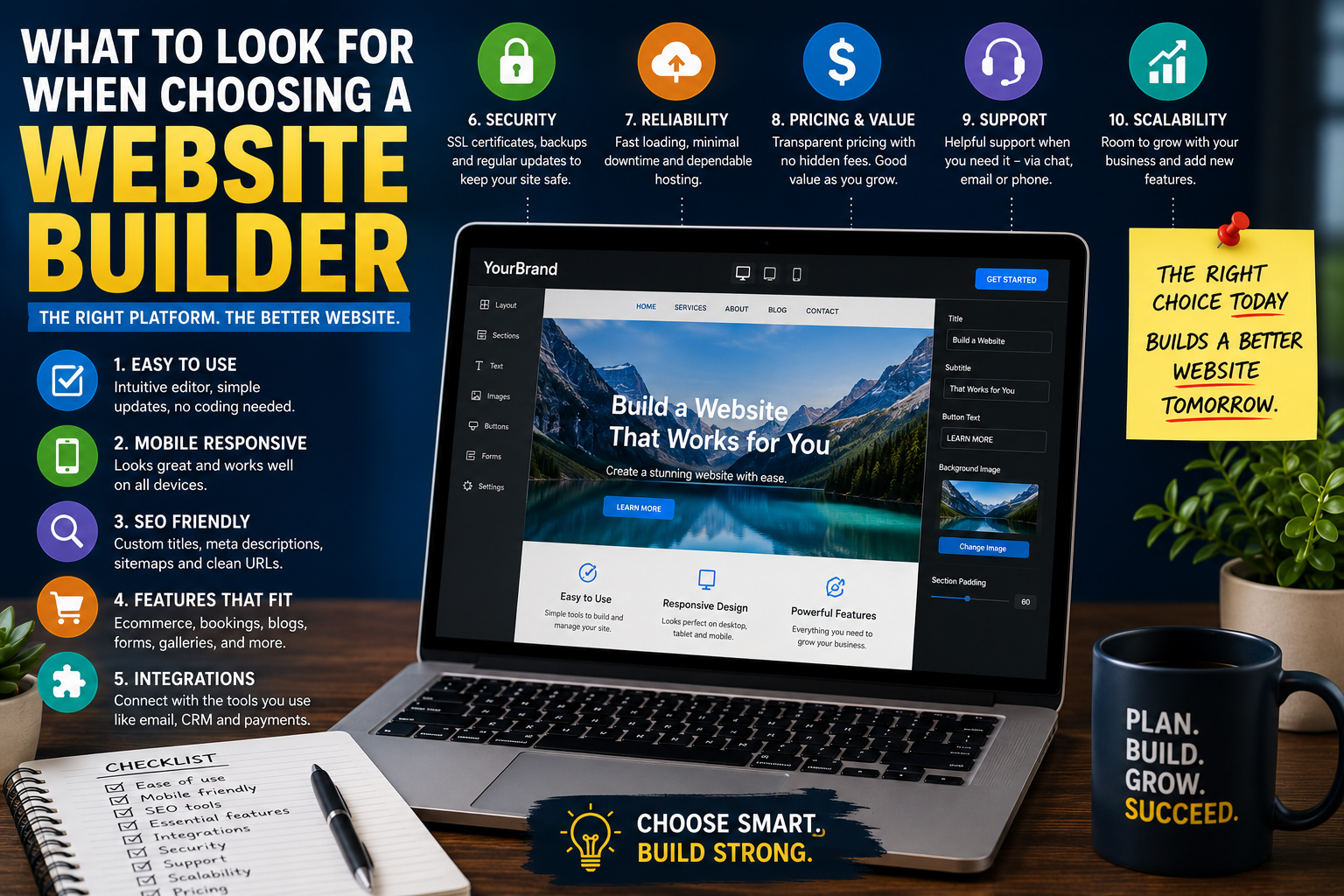
What to Look for When Choosing a Website Builder
A website builder can make it easier for a small business, freelancer or independent professional to create and manage a website without developing everything from scratch.
However, website builders vary significantly. Some are designed for simple brochure websites, while others support ecommerce, bookings, memberships, advanced search optimisation or custom development.
The right choice depends on what the website needs to do now and how the business may grow later.
Before selecting a platform, it is important to compare more than templates and introductory prices.
Start with the Purpose of the Website
The first question is not which platform is most popular. It is what the website needs to achieve.
A website may be intended to:
- Generate enquiries
- Sell products
- Accept appointments
- Promote professional services
- Publish articles
- Display a portfolio
- Support memberships
- Take online payments
- Build an email list
- Provide customer information
Different goals require different features.
A local service business may need strong service pages, contact forms, location information and search visibility.
An ecommerce business may need product variations, stock management, shipping rules, tax settings and abandoned-cart recovery.
A photographer may prioritise image galleries and portfolio presentation.
Defining the purpose first makes platform comparisons much easier.
Ease of Use
A website builder should be manageable by the people who will actually use it.
Some platforms provide simple visual editing, while others require more technical knowledge.
Consider whether users can easily:
- Edit text
- Replace images
- Create new pages
- Add blog posts
- Update menus
- Change contact details
- Manage forms
- Add products
- Review enquiries
- Publish changes
A platform may look easy during a sales demonstration but become difficult once the website has several pages, integrations and custom settings.
It is useful to test the editor before committing.
Many providers offer a free trial or demonstration account.
Quality of Templates
Templates can speed up the design process, but their quality varies.
A good template should provide:
- Clear navigation
- Readable typography
- Sensible spacing
- Mobile responsiveness
- Flexible layouts
- Accessible contrast
- Strong calls to action
- Well-structured page sections
Businesses should avoid choosing a platform solely because one template looks attractive.
The template should also be practical.
Consider whether it can support:
- Multiple service pages
- Team profiles
- Testimonials
- Case studies
- Blog content
- Contact information
- Pricing tables
- Frequently asked questions
A visually impressive homepage is not enough if the internal pages are difficult to organise.
Mobile Responsiveness
Many visitors will view the website on a phone.
The website builder should allow pages to work properly across desktop, tablet and mobile devices.
Important mobile considerations include:
- Readable text
- Clear buttons
- Simple menus
- Fast-loading images
- Forms that are easy to complete
- Clickable telephone numbers
- Proper spacing
- No overlapping elements
- No intrusive pop-ups
Some platforms automatically adapt layouts for mobile. Others require manual adjustments.
The site should be tested on real devices, not only in the editor’s preview mode.
Search Engine Optimisation Controls
A website builder should provide enough control to optimise important pages for search engines.
Useful features include:
- Editable page titles
- Editable meta descriptions
- Custom URLs
- Heading controls
- Image alternative text
- Redirects
- XML sitemaps
- Canonical settings
- Indexing controls
- Structured data support
The platform should also allow the website to create clear service and location pages without forcing awkward URLs or duplicate content.
For businesses that depend on local search traffic, it should be possible to manage:
- Location-specific content
- Contact information
- Embedded maps
- Local business details
- Reviews
- Service-area pages
No website builder can guarantee rankings, but the platform should not make basic optimisation unnecessarily difficult.
Blogging and Content Management
Publishing useful content can support search visibility, customer education and brand credibility.
A suitable platform should make it easy to:
- Create articles
- Organise categories
- Add authors
- Schedule posts
- Insert images
- Add internal links
- Update old content
- Manage drafts
- Display related posts
- Add publication dates
Businesses planning to publish regularly should look closely at the content-management experience.
Some website builders handle a small blog well but become difficult to manage when the site contains hundreds of posts.
Ecommerce Features
Businesses selling products should compare ecommerce functionality carefully.
Important features may include:
- Product variations
- Stock management
- Discount codes
- Tax settings
- Shipping rules
- Payment gateways
- Order notifications
- Refund management
- Customer accounts
- Sales reporting
Also consider:
- Transaction fees
- Product limits
- International selling
- Currency support
- Subscription products
- Digital downloads
- Marketplace integrations
- Point-of-sale options
A basic ecommerce feature may be enough for a small shop, but it may become restrictive as order volume and product complexity increase.
Appointment and Booking Features
Service businesses may need online booking.
A website builder may include built-in appointment tools or connect with an external booking platform.
Useful booking features include:
- Service selection
- Staff availability
- Automated confirmations
- Appointment reminders
- Deposits
- Rescheduling
- Cancellation rules
- Calendar synchronisation
- Waiting lists
- Multiple locations
The booking process should be simple for both customers and staff.
Businesses should also consider whether client information is handled securely and whether the system is suitable for their industry.
Forms and Lead Generation
Most service websites need forms.
A useful form builder should support:
- Contact forms
- Quote requests
- Consultation bookings
- Newsletter sign-ups
- File uploads
- Conditional questions
- Confirmation messages
- Spam protection
- Automated notifications
- CRM integrations
Forms should not be unnecessarily long.
The platform should also make it clear where submissions are stored and who can access them.
Businesses should test forms regularly to make sure enquiries are being delivered correctly.
Integrations
Website builders often connect with external tools.
Potential integrations include:
- Email marketing platforms
- Customer relationship management systems
- Accounting software
- Analytics
- Payment processors
- Appointment systems
- Social media
- Live chat
- Review platforms
- Automation tools
Before choosing a platform, check whether the required integrations are built in, available through an extension or only possible through custom development.
Too many third-party integrations can create additional costs and maintenance requirements.
Ownership and Portability
One of the most important questions is what happens if the business wants to leave the platform.
Some website builders make it easy to export content. Others make migration much more difficult.
Consider:
- Can pages be exported?
- Can blog posts be transferred?
- Can product data be downloaded?
- Can customer records be exported?
- Can images be retrieved?
- Can the design be moved?
- Does the business own the domain?
- Who controls the account?
The domain name should ideally be registered in the business’s own account.
A company should avoid becoming dependent on a supplier who exclusively controls the website, domain, hosting or data.
Customisation
A simple website may not need extensive customisation.
However, future needs may include:
- Custom forms
- Membership areas
- Advanced filters
- Calculators
- Interactive tools
- Industry-specific integrations
- Custom layouts
- Multilingual content
- Personalised user journeys
- Bespoke checkout features
Some platforms provide flexibility through plugins or custom code. Others are intentionally more restricted.
Restrictions can make a platform easier to use, but they may also limit growth.
Businesses should consider not only what they need today, but what they may reasonably require over the next few years.
Website Speed
Website speed affects user experience and may influence search performance.
A website builder should provide:
- Efficient hosting
- Image optimisation
- Caching
- Content delivery
- Clean page output
- Mobile performance
- Reliable infrastructure
Templates with excessive animation, video or large images may look impressive but load slowly.
Before choosing a platform, test real websites built with it.
Do not rely only on demonstration sites, which may have been specially optimised.
Security
A website builder should provide a clear approach to security.
Important features may include:
- SSL certificates
- Secure hosting
- Automatic updates
- Malware protection
- Backups
- Two-factor authentication
- User permissions
- Activity logs
- Recovery options
- Payment security
Managed website builders often handle more security tasks automatically.
Self-hosted platforms may offer greater flexibility but require more maintenance.
The right choice depends on the business’s technical resources and tolerance for ongoing management.
Backups and Recovery
Website problems can happen because of human error, software conflicts, security issues or failed updates.
The platform should provide a reliable way to restore the website.
Check:
- How often backups are created
- How long backups are retained
- Whether restoration is automatic
- Whether individual files can be recovered
- Whether backups include databases
- Whether off-site copies exist
- Whether recovery is included in the plan
A backup is only useful if it can be restored successfully.
Support
Good support becomes especially important when the website affects enquiries, bookings or sales.
Compare:
- Support hours
- Email support
- Live chat
- Telephone support
- Response times
- Knowledge-base quality
- Community forums
- Priority support
- Migration assistance
- Emergency help
Businesses should check whether support is provided by the platform directly or by a third-party developer.
The cheapest plan may provide limited support.
Pricing
Website-builder pricing can appear simple at first but become more complex over time.
Potential costs include:
- Monthly subscriptions
- Annual plans
- Domain renewal
- Email hosting
- Premium templates
- Plugins
- Ecommerce fees
- Transaction fees
- Additional users
- Storage
- Booking tools
- Marketing features
Introductory offers may increase significantly after the first term.
Businesses should calculate the likely annual cost based on the features they genuinely need.
A cheaper platform may become more expensive once essential extensions are added.
Scalability
A website should not need to be rebuilt every time the business grows.
Consider whether the platform can support:
- More pages
- Increased traffic
- Additional products
- More users
- Multiple locations
- New languages
- Memberships
- Advanced integrations
- Expanded content
- Larger databases
Not every business needs enterprise-level scalability, but the platform should have enough room for realistic growth.
Accessibility
A website should be usable by as many people as possible.
The builder should support:
- Clear heading structures
- Keyboard navigation
- Image alternative text
- Accessible forms
- Colour contrast
- Readable typography
- Descriptive links
- Captions
- Focus indicators
- Logical content order
Accessibility should be considered during design and content creation, not added only after the website is finished.
Templates should be reviewed carefully because not every template is equally accessible.
Multilingual Support
Businesses serving customers in more than one language should check whether the platform supports multilingual websites properly.
Consider:
- Separate language versions
- Language switching
- Translated menus
- Search-friendly URLs
- Translation management
- Localised metadata
- Multilingual ecommerce
- Automatic versus manual translation
- Regional settings
- Currency support
A simple automated translation feature may not be sufficient for businesses that require high-quality or regulated content.
User Roles and Permissions
Websites managed by several people should provide appropriate user permissions.
Possible roles may include:
- Administrator
- Editor
- Author
- Shop manager
- Customer-service user
- Marketing user
- External developer
Not everyone should have full administrative access.
Restricting permissions reduces the risk of accidental changes or unauthorised access.
Analytics and Reporting
The website should make it possible to measure performance.
Useful reporting may include:
- Website visits
- Traffic sources
- Popular pages
- Product sales
- Form submissions
- Booking conversions
- Ecommerce revenue
- Abandoned carts
- Device usage
- Customer behaviour
The builder should integrate with suitable analytics and search-performance tools.
Businesses should also ensure that tracking is configured in line with relevant privacy requirements.
Reviews and Reputation
Before choosing a website builder, research the experiences of real users.
Look beyond promotional reviews.
Useful sources may include:
- Independent review websites
- User communities
- Developer forums
- Business groups
- Support discussions
- Case studies
- Migration stories
Pay attention to repeated complaints about:
- Billing
- Support
- performance
- Downtime
- Contract changes
- Export limitations
- Account closure
- Feature restrictions
Every platform will have some negative reviews. The important question is whether the same problems appear repeatedly.
Questions to Ask Before Choosing
Before making a decision, ask:
- What does the website need to achieve?
- Who will manage it?
- Can important pages be edited easily?
- Are the templates flexible?
- Does it work well on mobile?
- Are SEO settings accessible?
- Can the site support future growth?
- Can content and data be exported?
- What integrations are available?
- What will the total annual cost be?
- What support is included?
- Who owns the domain and account?
These questions can prevent expensive problems later.
Common Mistakes to Avoid
Businesses often choose a website builder based on:
- The lowest introductory price
- A single attractive template
- A recommendation from someone with different needs
- A large feature list
- A quick sales demonstration
- Free artificial-intelligence tools
- The promise of an instant website
Common problems arise when the platform:
- Cannot support future features
- Makes content difficult to export
- Performs poorly on mobile
- Has weak SEO controls
- Requires expensive add-ons
- Provides limited support
- Locks the business into one supplier
The best platform is not necessarily the most advanced. It is the one that fits the business’s requirements without creating unnecessary restrictions.
Final Thoughts
Choosing a website builder is a practical business decision.
The platform should be easy to manage, flexible enough for future needs and capable of supporting the website’s main purpose.
Ease of use, mobile performance, search controls, security, integrations, ownership, support and total cost should all be considered before committing.
A website builder can save time and reduce development costs, but only when it provides the right balance of simplicity, control and room to grow.